
EVO Shared Media Servers
Cloud and on-premise workflow solutions
The EVO shared storage video editing server gives professional media teams incredible performance and supercharged efficiency.
It offers a suite of workflow features for on-site and remote users, including the powerful and easy-to-use ShareBrowser MAM, Nomad, and Slingshot with cloud, NLE, and A.I. integrations.
Made for creative teams
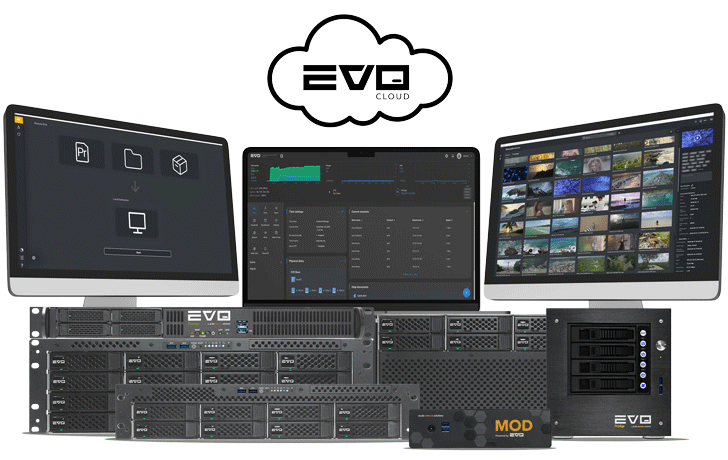
Shared storage solutions for media production teams
In your server room, on a desk, on location, or up in the cloud, EVO is a complete shared storage solution for on-site and remote workflows. Includes the EVO Suite for unlimited users.
EVO 16 Bay 
High performance scalable storage for medium to large workgroups
The 16 bay EVO accommodates up to 80 drives per managed system and multiple 10, 25, 50, and 100GbE ports.
Most Popular System
EVO Cloud 

Cloud workflow for video production
EVO Cloud is a complete and comprehensive cloud workflow for fully remote, hybrid, and multi-location editing teams.
MOD

Compact server and cloud edge device
Lightweight and portable, MOD is a compact edit server and cloud edge device all in one.
EVO 8 Bay
High performance shared storage for small to medium workgroups
The 8 bay EVO accommodates up to 24 drives per managed system and multiple 10, 25, 50, and 100GbE ports.
EVO 8 Bay Short Depth
Shared storage for DIT & mobile
An 18″ EVO designed for big needs in tight spaces. Great for small server racks, flypacks, DIT, mobile, and other on-location workflows.
EVO Prodigy Desktop
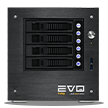
Something big… figuratively speaking
EVO Prodigy Desktop is small, quiet, desktop storage for compressed workflows, mobile/field use, and studios without rack space.
EVO Prodigy 1U
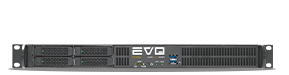
Small, rackable workflow appliance
EVO Prodigy is ideal for studios with limited rack space, field use, and adding the EVO Suite to existing storage systems.
EVO Nearline
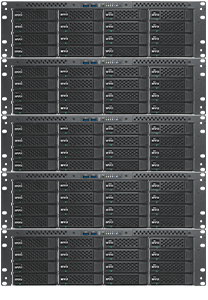
Not just for EVO users!
Affordable nearline/secondary tier for staging large reference libraries, completed projects, and related media before deep archive. Cluster-capable for scalability to multiple petabytes in a single namespace.
SNS Cloud VPN

Remote access from anywhere
SNS Cloud VPN is the safe, secure, and convenient way for your team to access, download, and edit shared files remotely. Give your team continuous access to their media and projects, from anywhere.
The EVO OS, systems, and all included software are designed by SNS, for professional media applications.
The award-winning EVO Suite, included
With every EVO
Every EVO shared storage solution includes the multi-award-winning EVO Suite of software tools, including ShareBrowser media asset manager, Slingshot transcode and automations engine, and Nomad for remote workflow.
Trusted around the world



For unlimited users. Period.
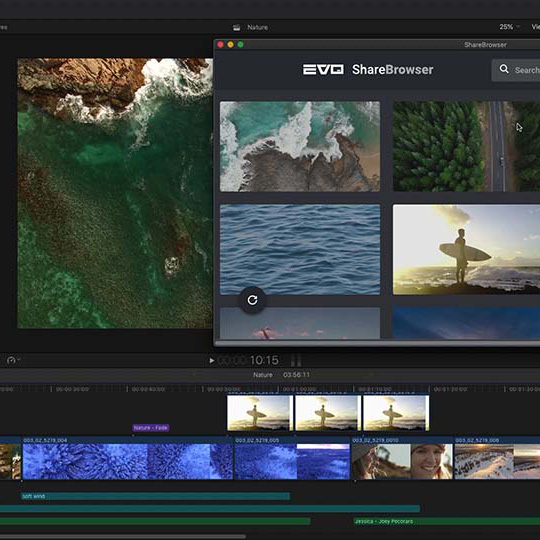
MAM included for unlimited users
ShareBrowser
Search, find, tag, comment, preview, archive… for the whole team.
ShareBrowser is perfect for post-production teams that collaborate around a shared storage workflow, giving everyone a central, searchable database.
Includes panels for Premiere, After Effects, Final Cut Pro, and DaVinci Resolve.
Unlimited licenses of ShareBrowser are included with every EVO system.

Automations included for unlimited users
Slingshot
Automated backups, transcodes, file transfers, and more.
Slingshot is the easy-to-use automations engine that takes repetitive data processing tasks (like transcoding, indexing, and backing up your media and projects) off your editors’ to-do lists.
Get unlimited automations with every EVO shared storage server.

Remote workflow included for unlimited users
Nomad
A must-have for remote video editors.
Take your workflow on the go with Nomad, EVO’s remote editing tool.
Nomad retrieves all the proxy media and source files you need to work on your remote editing projects offline, making it easy for team members to edit from anywhere in the world.
Included for unlimited users with EVO, Nomad is perfect for working from home, remote freelancers, and hybrid on-site/off-site workflows.
The EVO Suite—a standard for editors everywhere
Services
Enhanced services and support offer your organization all-inclusive hardware, software, warranty, integration, and interoperability coverage for every SNS product—leading to increased uptime, productivity, and profitability (on your end).
Support plans
Choose Basic, Standard, or Premium technical support to best fit the needs of your organization.
Installation
On-site installation or remote commissioning services make deployment a breeze.
Training
Our product and workflow experts take your team through onboarding and basic use.
Migration
If your current MAM system has become so complicated that no one wants to use it… we can help.