

Meaningful metadata generated by AI
On-premise and cloud AI solutions for media teams.
What can AI do?
You probably have a lot of questions around AI.
Can it transcribe my video? Translate to Spanish (and other languages)? Summarize content like a human? Detect and recognize faces and voices? Identify every time our logo was shown?
Can it segment content based on who was talking? Or what they were talking about? Generate keyframes? Classify scenes contextually?
The answer is simple.
Yes. AI can do that.
Analyze anything, understand everything
Unlock intelligence and automation with the AI Suite.
- Smart transcription with speaker separation
- Voice recognition
- Automatic language detection and translation (90+ languages)
- AI-driven summaries
- Automatic scene and content classification
- Semantic scene segmentation
- Named entity extraction (people, places, brands)
- Automated keyframe generation
- Facial recognition
- AI-powered image descriptions
- Text and object recognition
- Logo detection
No cloud required
On-prem AI
Why keep your AI on-prem?
On-premise AI solutions ensure that your media remains under your control at all times. You’re not uploading files to an external cloud service. Your AI “lives” right where your media is. No cloud (or pillow) required.
On-premise AI also means your data is trained locally. Your data does not feed large language models (LLMs) or train external AI programs. Everything stays in your facility.
Perpetual license
Unlimited processing
What is a perpetual license?
Most cloud AI solutions work like a subscription—the more you use it, the more you pay.
Our AI Suite is a permanent, perpetual license. You pay for it once, then use it as much as you want.
Unlimited users. Unlimited analyzed files. Unlimited processing hours.
Where artificial intelligence meets human creativity
Let AI remove tedious tasks from your to-do list, and give your editors more room to focus on storytelling.
Contact us
If you’re spending valuable creative time on non-creative tasks, let’s discuss how AI can help.
ShareBrowser media asset management’s AI connector
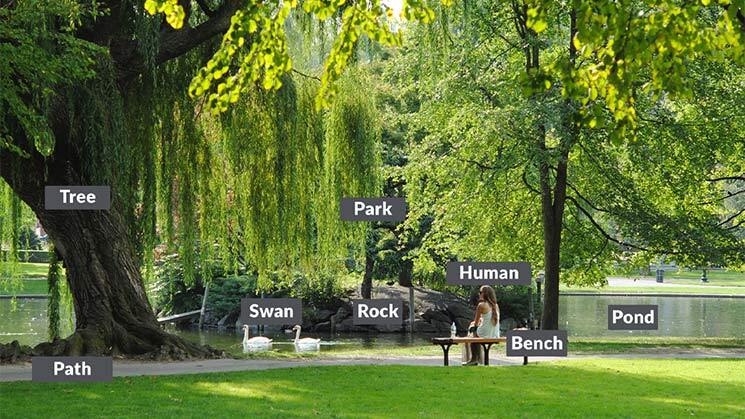
If your AI needs are light or occasional, a cloud-based AI subscription may be the right fit. ShareBrowser’s cloud AI connector integrates with your AWS Rekognition account to analyze video and automatically add metadata directly inside your MAM.
We call this AI auto-tagging—it makes your media easier to find and search within ShareBrowser.
What is ShareBrowser?
EVO shared storage solutions come with ShareBrowser media asset management software included for unlimited users. ShareBrowser is the powerful and easy-to-use MAM system that helps your team maximize collaboration, creativity, and productivity.
With its built-in AI connector, you can integrate ShareBrowser MAM with your AWS account to automatically tag your indexed media with relevant key terms.
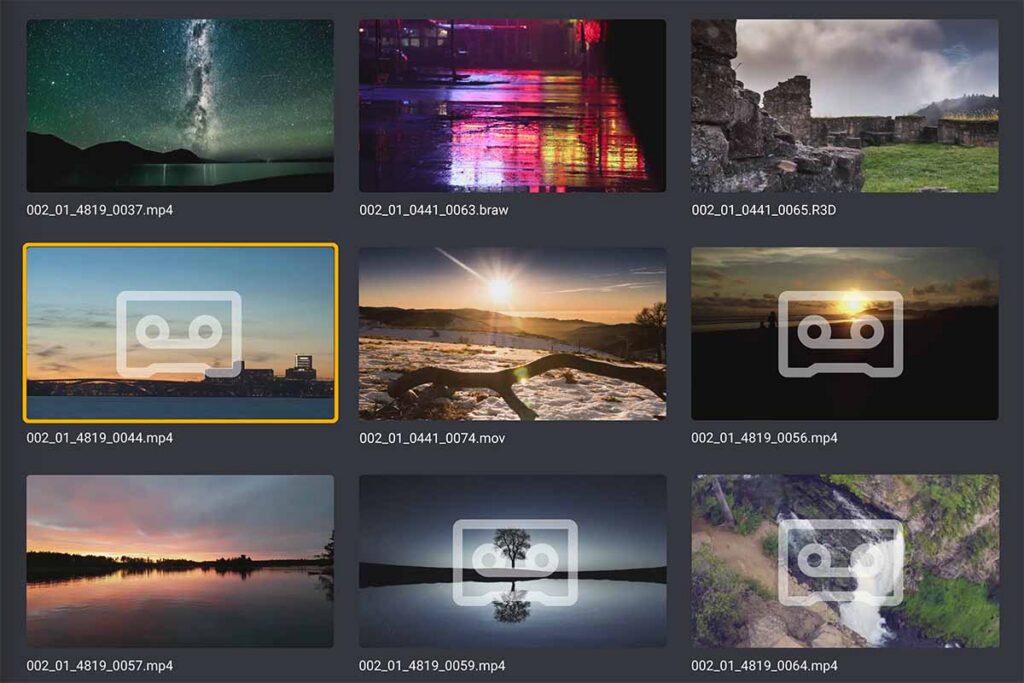
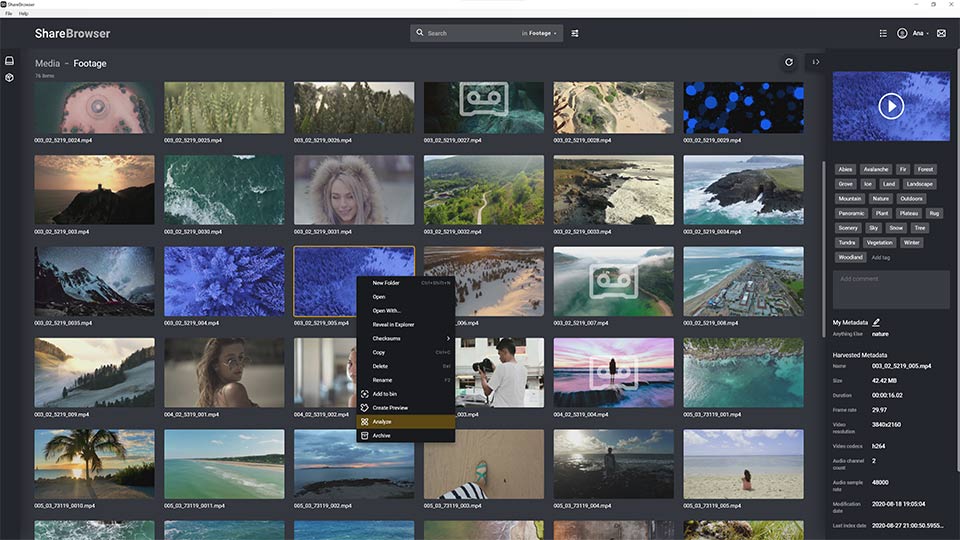
How does it work?
Simply select the file(s) you want the AI to review, click Analyze, and enjoy the time-saving benefits of automatic metadata tagging. The AI engine will scan your selected footage and add relevant keywords and phrases to the Tags field in ShareBrowser.
That metadata is then immediately available to your team, allowing them to easily search for and find the perfect clip for their next project.

AI, meet API
Automatic metadata tagging can save video production teams tons of time. But if you have more specific or demanding AI requirements—like matching jersey numbers to a team roster in live sports production—you can connect your advanced AI programs to your EVO shared media server using the Slingshot API included with EVO.
When connected through the Slingshot API, your AI programs will be able to share data with your EVO video editing server, which will then be searchable in the ShareBrowser media asset management system.
Our API is free and included with EVO.
Not sure where to start?
AI is opening doors nobody knew existed. If you’re not sure where to start, or what you want AI to do, let’s talk. We’ll talk through your workflow and uncover where AI can add the most value, so you can keep on creating.