
After a lung cancer diagnosis, a patient feared her cycling days were over. Thanks to Carilion Clinic’s surgical team and robotic-assisted treatment, she made a fast recovery and was soon back on her bike.
Her story is one of many brought to life by Carilion Clinic’s Communications, Marketing, and Planning department, which uses powerful video storytelling to spotlight patients, providers, and the real-world impact of compassionate care.
A Real-world Look At EVO’s Impact In Healthcare Media Production
Carilion Clinic is a not-for-profit healthcare system serving communities in Western Virginia. “We’re regularly producing mini documentary videos of patients who’ve gone through something difficult and are now back to doing what they love,” said Joe Castiglioni, A/V Team Lead at Carilion Clinic.
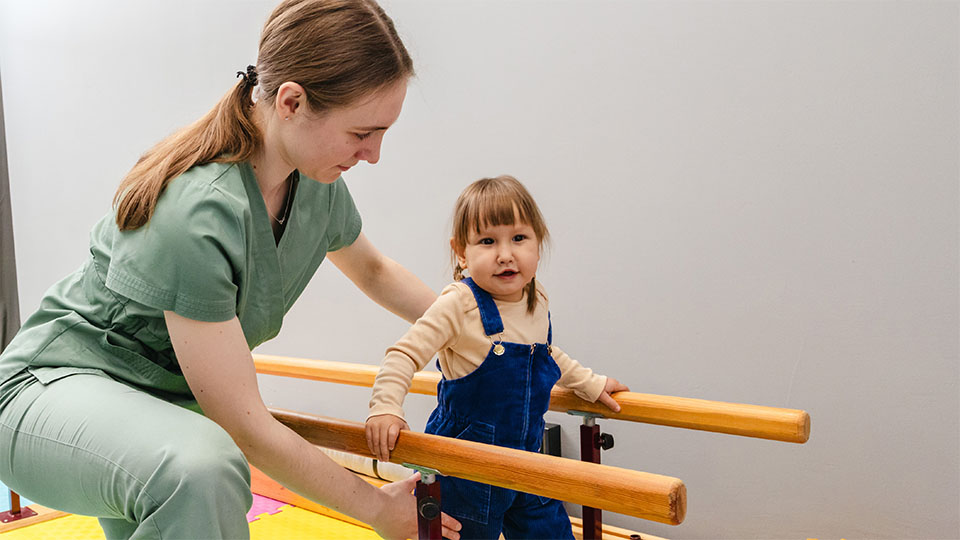
“Whether it’s a child with a spine condition learning to walk, a hospice patient finding comfort in music therapy, or a professional basketball player getting back on the court—these are stories worth telling.”
The Challenge: Storing And Managing Medical Media Files
Behind every patient story is a creative team of editors, videographers, photographers, and producers working with large, high-resolution video files. But without a proper video editing server or centralized media storage solution, their production workflow was fragmented and inefficient.
“First, we were using external hard drives, and it was terrible,” said Castiglioni. “Then, we merged with another department that had a low-capacity shared storage system. When that inevitably broke, I knew we had to upgrade.”
Castiglioni needed a robust shared storage server—something fast, reliable, RAID-protected, and compliant with protected health information (PHI) standards. “I was adamant that we needed a NAS for video production, and our IT department was on board as long as it met the necessary compliance requirements and security. After researching our options, EVO stood out from the rest, and I strongly recommend it.”

The Solution: EVO For Healthcare Video Production
“After speaking with several vendors, I concluded EVO was the best choice for us,” Castiglioni explained. “The functionality, capacity, and the support—SNS had everything we needed.”
Carilion Clinic selected EVO, the high-performance shared storage solution purpose-built for creative teams. And like the patients they feature in their videos, the clinic’s workflow underwent a remarkable transformation.
“With EVO, we’re able to bring stories to life faster and with fewer technical obstacles,” Castiglioni said. “We’re always pulling footage from each other’s projects, so having everything in one place with EVO—and organized in a way that makes sense—makes it easy to find what we need, when we need it. I can’t imagine working without it.”
Q&A: How EVO Makes A Difference At Carilion Clinic
Q: How does EVO support your data security needs?
“RAID protection and the ability to store PHI on the server were big requirements for us as a HIPAA-compliant healthcare system. We also have a scheduled overnight backup that pushes our media to another server off-premises for data redundancy and disaster recovery practices. These added layers of security are critical for us, especially since we’re working with sensitive medical content.”
Q: Why use ShareBrowser MAM over other search methods?
“ShareBrowser’s search is so fast compared to any other way I have of searching for things. We tag everything so if we need a clip of a specific doctor, I just type in their name, and everything we’ve ever shot with them pops up. This is particularly helpful when our Public Relations team needs to find some footage or photos for a news story that’s running that same evening.”
Learn more about ShareBrowser MAM, EVO’s built-in media asset manager.

Q: What is your favorite part about EVO?
“Besides the speed and ease of collaboration, one of my favorite features in the entire workflow is ShareBrowser bins. I use bins to share specific files with my editors. I love it because we don’t have to duplicate the file, and they don’t have to go searching for it; it’s just right there in the bin. I’ll add files to a bin named for a project we’re collaborating on—or a bin named ‘Darryle look here’—to give them direct and immediate access to that particular media file.”
Q: How do you use EVO with your editing applications?
“If I need a file for a project, I’ll just drag it from ShareBrowser into Premiere. We use all the Adobe products—Premiere, After Effects, Photoshop, Illustrator… EVO houses all of those project files for us to edit and collaborate on.”
Learn more about EVO and ShareBrowser’s integrated workflow with Adobe Premiere Pro.
Q: Do you use EVO to work from home?
“We have a VPN through our IT department that lets us connect to EVO from home. It’s been helpful to transfer and edit small files remotely, like the proxy files that EVO generates automatically for us.”
Learn more about proxy generation with Slingshot, EVO’s built-in automations engine.

Q: How does your team connect to EVO?
“Our video editors have 10GbE connections to EVO. We shoot in 4K on Canon and Panasonic cameras, so this allows us to edit the 4K video directly without any bottlenecks. EVO is also connected to our broader network, so specific team members in other departments can access it over the 1GbE network. That works really well since they’re primarily searching and viewing files, not editing videos.”
Q: Have you had any hiccups with the system?
“We had one drive fail, but we just hot-swapped in the spare drive, and it was able to rebuild itself. I did not notice any difference, and it was ready the next time I went to use the server. Since then, for about five years and counting, it’s been running perfectly smoothly. We have been very happy with it.”
Q: How has your experience been with SNS?
“Above all, I appreciate the customer service, kindness, and professionalism from everyone at SNS. From the first sales call to ongoing support, it’s been a great experience.”

Supporting Patient Storytelling With EVO Shared Storage
Video plays a vital role in medical communication, education, and outreach—and Carilion Clinic understands its impact. With EVO on their team, their video department brings powerful stories of healing, strength, and compassion to life—capturing the human side of healthcare in every frame.
From patient profiles to public health campaigns, medical training videos, surgical recordings, and more, EVO helps healthcare organizations manage growing volumes of high-resolution media securely and efficiently. Whether you’re part of a hospital communications team, a medical school’s media department, or a private healthcare practice, EVO delivers the performance, storage capacity, and video editing workflow tools to support your media production needs.
Contact SNS today to learn how EVO can support your healthcare media workflow.