

If you work in video production, you already know that not every NAS is built for editing. A generic file server might be fine for office documents, but once multiple editors start working with high-bitrate media, the cracks show quickly.
So, what is the best NAS for video production in 2026? It’s one that can keep up with real editing workflows: high-resolution media, multiple users, fast search, automation, remote access, and dependable performance day after day. That’s where EVO from Studio Network Solutions stands apart.
TL;DR: If you’re looking for the best NAS for video production, EVO is purpose-built for shared media workflows. It supports real-time 4K/8K editing, includes media asset management and workflow automation tools, and fits both on-prem and remote production teams.
Why EVO Is a Strong Choice for Video Production
Unlike generic NAS devices, EVO is engineered specifically for video professionals. It is designed around the way editors, assistants, producers, and post teams actually work. Here’s what makes EVO the top choice for video production teams around the world.
1. Built for Real-Time Video Editing
EVO is designed to handle multi-stream 4K, 6K, and even 8K video editing, so there’s no need to copy or cache files locally. Team members can share files and work in real time with large video files, thanks to EVO’s ultra-fast read/write speeds and optimized throughput. That matters when you’re dealing with large files, tight deadlines, and more than one person touching the same project.
For teams cutting high-resolution media in applications like Premiere Pro, DaVinci Resolve, Avid Media Composer, and Final Cut Pro, shared storage needs to feel fast and predictable. EVO is built for exactly that. It’s the ultimate shared storage server for video editing teams.

2. Powerful Video Workflow Software Is Included
One of the biggest differences between EVO and most other NAS options is that EVO is far more than just storage.
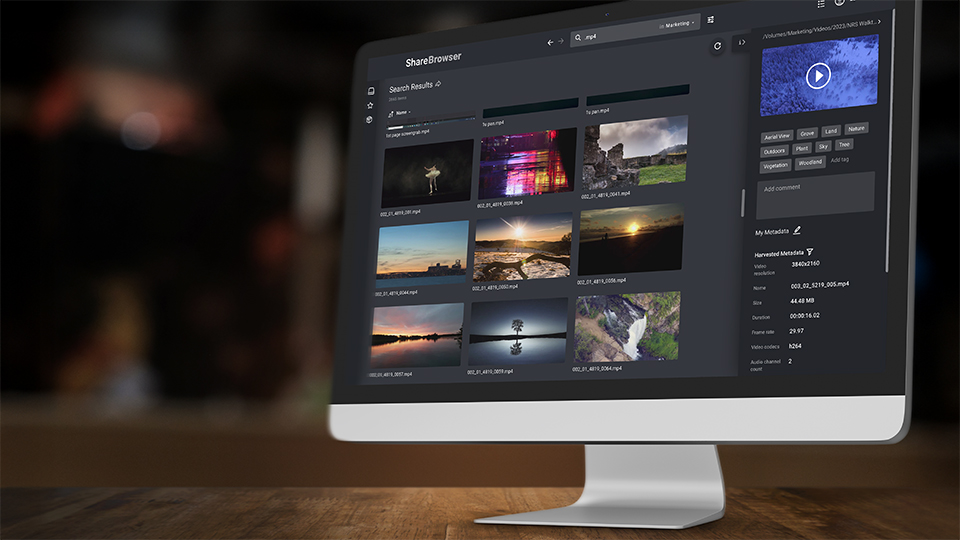
Every EVO system ships fully integrated with the EVO Suite, an award-winning collection of software tools from SNS. The EVO Suite includes ShareBrowser media asset management (MAM) software, Slingshot transcoder and automations engine, and Nomad for remote workflow support.
ShareBrowser MAM makes it easy to tag, search, and preview files across your entire team, with no extra license fees or complicated setups. Slingshot automates repetitive tasks like transcoding and proxy generation, cloud backups, data transfers, and more. Nomad gives remote editors access to auto-generated proxy files for offline and remote editing workflows. Together, these powerful software tools make EVO more than a shared storage server—it’s a complete workflow solution for post production and video editing teams.
3. Supports Remote Editing NAS Workflows
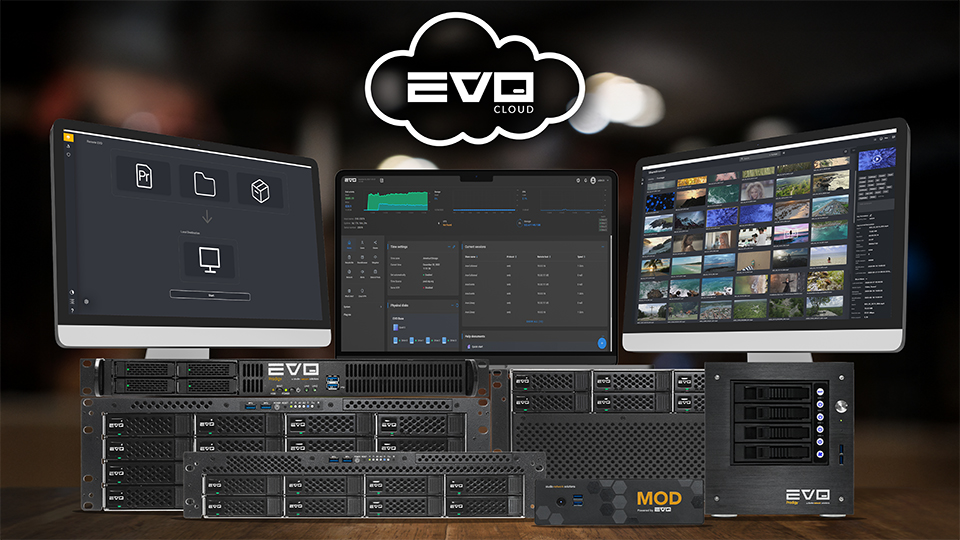
Content creation happens everywhere. In addition to supporting editing projects over local network connectivity, EVO supports remote and hybrid workflows using secure options like remote access via VPN and file sharing via cloud storage integrations. EVO also includes tools to make offline and proxy workflows easier, so media teams can work without a direct connection to the storage server if needed. Creative teams can also opt for a fully cloud-hosted solution with EVO Cloud, so whether you’re editing from home, on location, or in another country, you can remotely access your media without disrupting your workflow.
4. Scalable Storage for Post Production
The EVO video editing server scales with your needs. Smaller teams that require EVO’s advanced features but not as much storage space can choose from our selection of portable and desktop NAS units. The EVO 8 Bay offers a perfect middle ground for medium-sized teams that need performance, scalability, and incredible uptime.
Larger teams can opt for our high-performance rackmount solutions—like the EVO 16 Bay, EVO 32 Disk Combo, or EVO Scale-out Cluster—offering hundreds of terabytes and even petabytes of storage capacity for the most demanding creative workflows. Because the software is included for unlimited users, teams can grow without turning every workflow improvement into another licensing conversation.
From boutique post houses to corporate in-house marketing teams to the largest media production studios, EVO is a scalable media production NAS for creative professionals anywhere on this spectrum.
5. Cross-Platform Support for Creative Tools
The best NAS for video production should work with all the tools in your workflow, rather than limit your team’s ability to create in the video editing software of their choice.
EVO supports creative workflows in:
- Adobe Premiere Pro, After Effects, and other Adobe creative software
- DaVinci Resolve
- Avid Media Composer and Pro Tools
- Final Cut Pro
- And other creative software on macOS and Windows
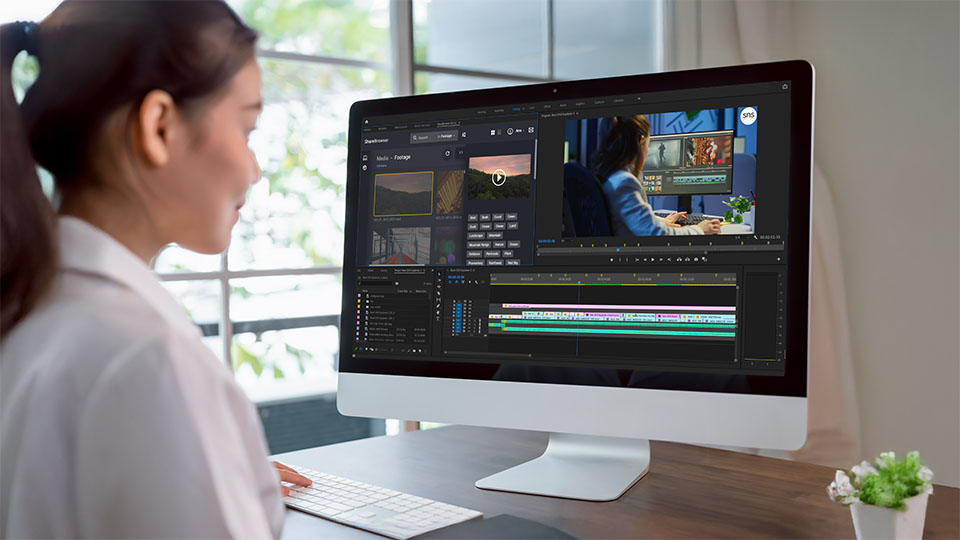
To make editing even easier, EVO’s ShareBrowser MAM is available as a free plug-in for Premiere, After Effects, Resolve, and FCP, allowing video editors to browse, preview, and import their media directly into their project without constant application switching.
Contact SNS for a live demonstration of how EVO works with the video editing applications, cloud storage platforms, and other video production technologies in your workflow.
Key Features to Look for in a NAS for Video Editing
If you’re comparing options, here are the features that matter most when choosing a NAS for professional video editing:
| Feature | Why It Matters |
| High-Speed Connectivity | 10GbE/25GbE ensures real-time editing. EVO can be configured with up to 100GbE connectivity for more advanced requirements. |
| Optimized File System | Systems designed for large video file transfers and simultaneous users ensure editors don’t have to worry about bumpy playback when working on a deadline. |
| Media Asset Management | Organize, tag, and find files faster. |
| Automation Tools | Save time on backups, transcodes, and cloud workflows. |
| Remote Access Support | Essential for hybrid and distributed teams, as well as on-premise teams that require flexibility to keep projects moving forward anytime, anywhere. |
| Integration with Editing Software | Your NAS system shouldn’t dictate which editing software your team can use. Limitations can stifle creativity. |
EVO delivers all of this and more in a complete, ready-to-deploy system.

Choosing the Right Storage System for Your Workflow
If you are looking for the best NAS for video production, the real question is not just how many terabytes you need. It is whether the system can support the way your team actually creates.
For some teams, that means a compact desktop system. For others, it means rackmount infrastructure, automation, remote access, media management, user auditing, encryption, central logging, and room to scale. Either way, storage for video production needs to do more than hold files.
Don’t settle for storage solutions that weren’t designed for collaborative editing in media teams. Video editing teams need a system designed for the demands of high-resolution media, real-time collaboration, and streamlined asset management.
EVO by Studio Network Solutions delivers everything video teams need in a single, scalable platform—powerful performance, built-in software, and workflow tools designed for editors.
Whether you’re running a post house, an in-house content team, a broadcaster, or an independent production company, EVO is built to support modern media workflows without the compromises of a generic NAS. Schedule an EVO demo today.

Frequently Asked Questions
What is the best NAS for video editing?
For teams working with shared media, the best NAS is one designed specifically for collaborative editing. Trusted by thousands of customers across 80+ countries worldwide, EVO by Studio Network Solutions is widely regarded as the best NAS for video editing due to its high-speed performance, built-in media management software and automation capabilities, and real-time support for multi-user workflows.
Can I edit video over a network with EVO?
Yes. EVO supports real-time editing of high-resolution video (4K, 6K, 8K+) over Ethernet without requiring local file copies. EVO can also automatically transcode high-resolution media into proxy files for proxy/offline/remote workflows.
Does EVO include video storage software?
Yes. EVO comes with an award-winning suite of software tools called the EVO Suite. The EVO Suite includes ShareBrowser MAM, Slingshot transcoder and automations engine, and Nomad for remote editing workflows—all included for unlimited users.
What’s the best storage for post production teams?
Post production teams around the world trust EVO as the best shared storage server for video and audio post production workflows. SNS EVO is an enterprise grade NAS system known for exceptional reliability and performance to handle the most complex and demanding post production, VFX, and color grading workflows.
What’s the best storage for live production teams?
Broadcasters and live event teams rely on EVO shared storage for the best live production workflow. SNS EVO comes in portable and short-depth form factors ideal for live production teams, flypacks, DIT, and mobile field units.
Can I use EVO for remote editing/workflow?
Yes. EVO supports remote access over the network, automates cloud backup and sync operations, and comes with Nomad for proxy-based offline and remote editing workflows. For convenient and secure remote access to EVO, users can add the optional SNS Cloud VPN service with VPN Accelerator.
Does EVO offer data protection?
Yes. EVO is highly secure, featuring a custom Operating System that is inherently less susceptible to common cyber attacks than traditional off-the-shelf systems. It also includes firewall protection, granular user permissions and user auditing, AES-256 encryption options, and other advanced security features to keep media safe.
Beyond these advanced security features natively in EVO, SNS’s Trio S3 cloud storage solution extends data protection across the entire media lifecycle, ensuring media and projects are secure from active production through long-term archive.
For more information, contact SNS at snsevo.com.